
Download VisiPics – Duplicate Photos, Photo Management, Image Cleanup
Overview
VisiPics is a specialized tool designed to address the common challenge of duplicate and near-duplicate photos cluttering digital libraries. The application provides a targeted solution for users who struggle with disorganized image collections, whether on personal computers or external storage devices. By identifying redundant files across multiple folders, VisiPics helps streamline photo management, reduce storage waste, and improve overall file accessibility. Its primary purpose is to assist both casual users and professionals in maintaining clean, efficient photo libraries without requiring advanced technical expertise.
The app is particularly beneficial for individuals with large image archives, such as amateur photographers, digital archivists, or anyone who frequently backs up media across devices. Real-world use cases include clearing out redundant photos from backup drives, identifying near-identical images from different camera settings, and organizing personal photo libraries before migration to cloud storage. In the broader app ecosystem, VisiPics fills a niche for dedicated file cleanup tools, offering a focused alternative to general-purpose file managers.
Developed by VisiPics, the application has been available since 2013, indicating a long-standing presence in the productivity software space. Although the developer did not provide additional technical details about the development team or company background, the app’s longevity suggests consistent functionality and user trust. The tool remains relevant due to its core utility in an era of ever-growing digital media.
Key Features & Functionality
- Advanced Duplicate Detection: VisiPics employs five distinct filters to compare images, enabling it to detect exact duplicates as well as near-duplicates that may have minor variations in resolution, compression, or metadata. This ensures a comprehensive scan, reducing the risk of missing similar files.
- Folder Selection Options: Users can manually select specific folders or drives to scan, allowing for precise control over the cleanup process. This is especially useful for large libraries spread across multiple directories or external storage.
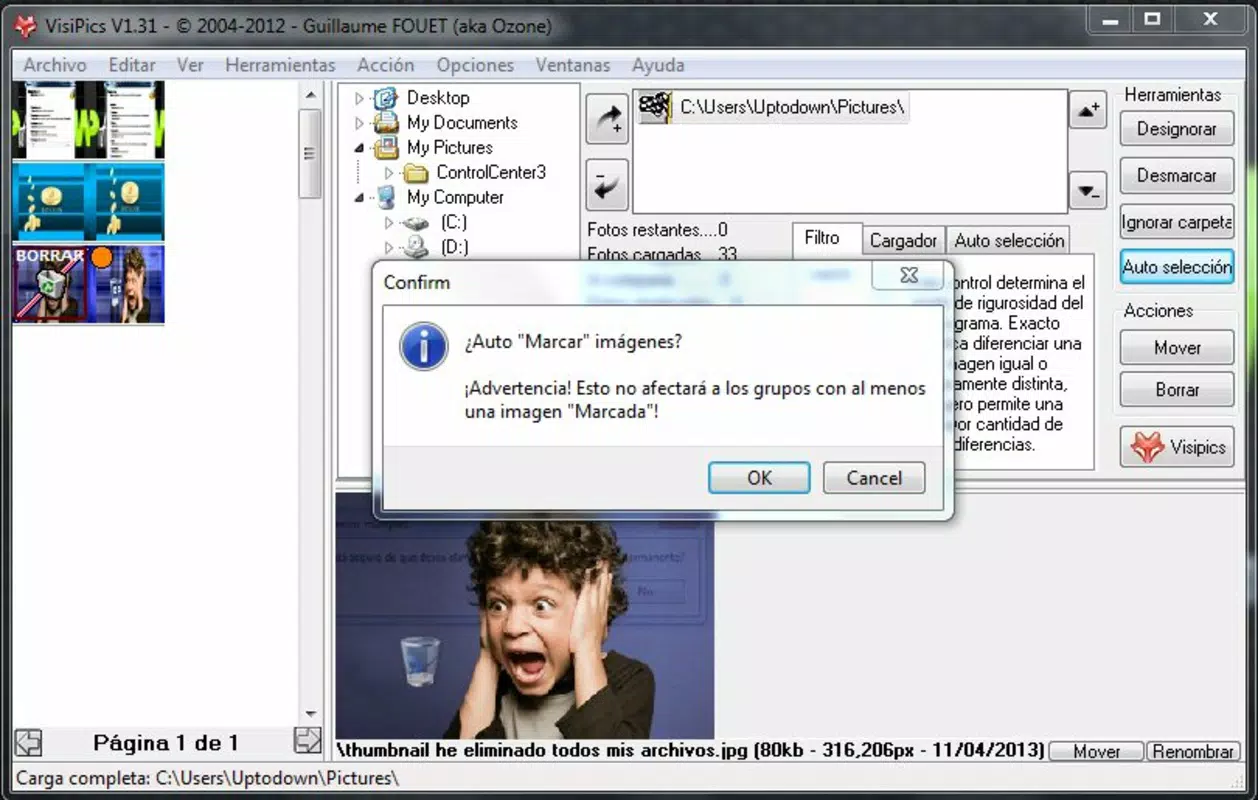
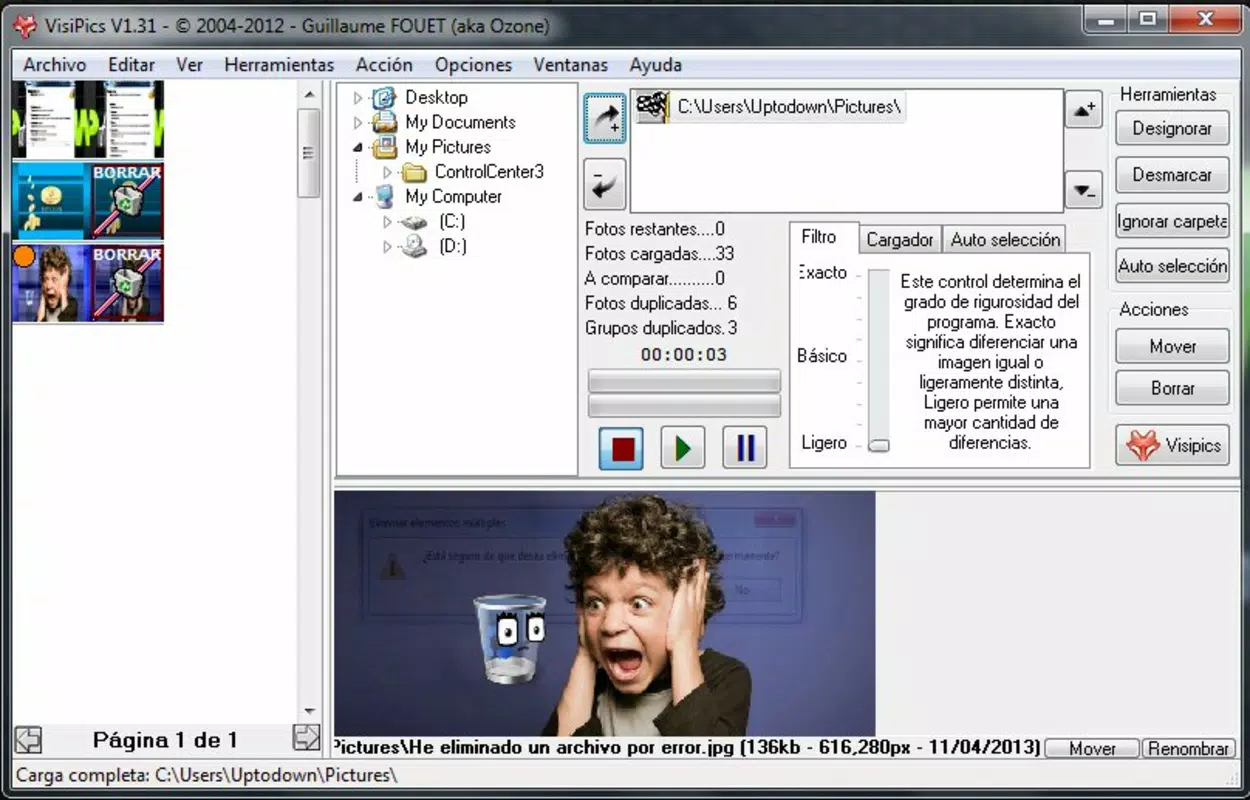
- Automatic Image Tagging: Identified duplicates are automatically tagged, making it easier to visually distinguish them from unique files. This feature accelerates the decision-making process during cleanup.
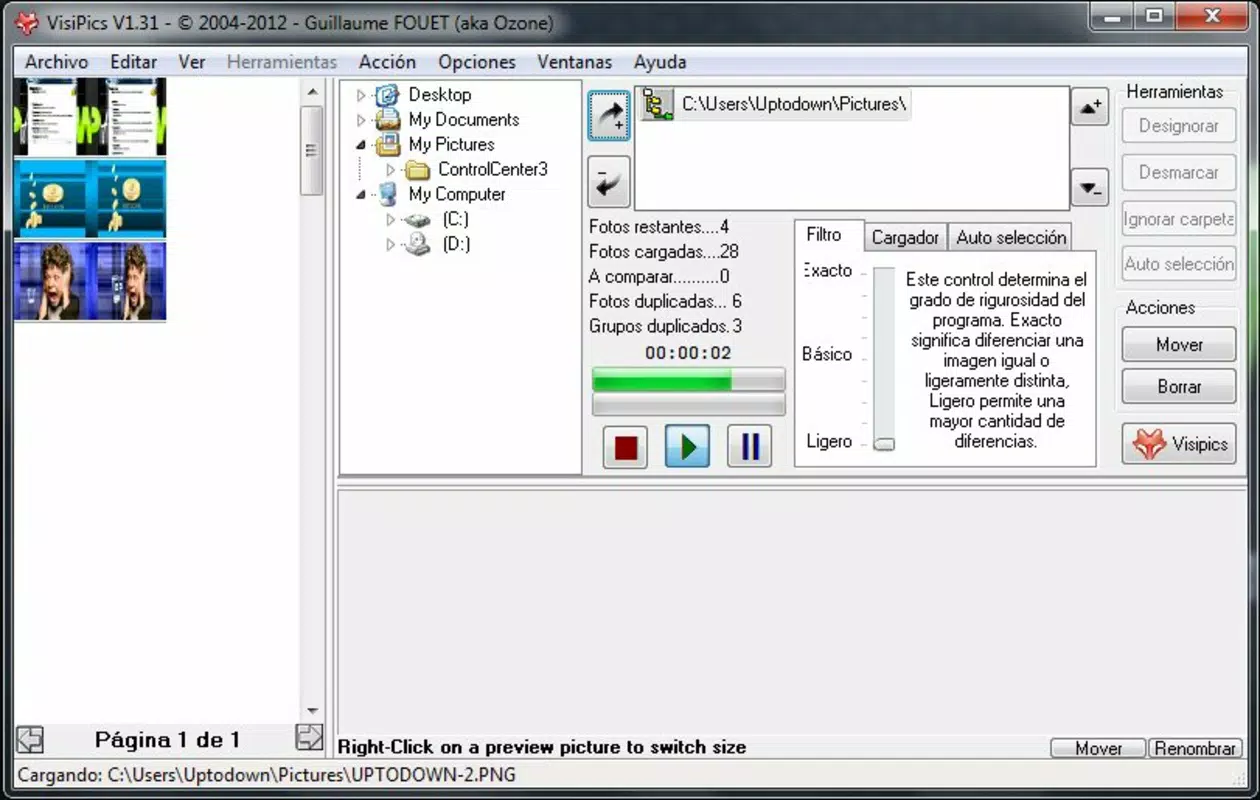
- Real-Time Scanning with Immediate Deletion: Users can delete duplicate files on the fly during the scan, without waiting for the process to complete. This dynamic interaction enhances efficiency and supports a more active workflow.
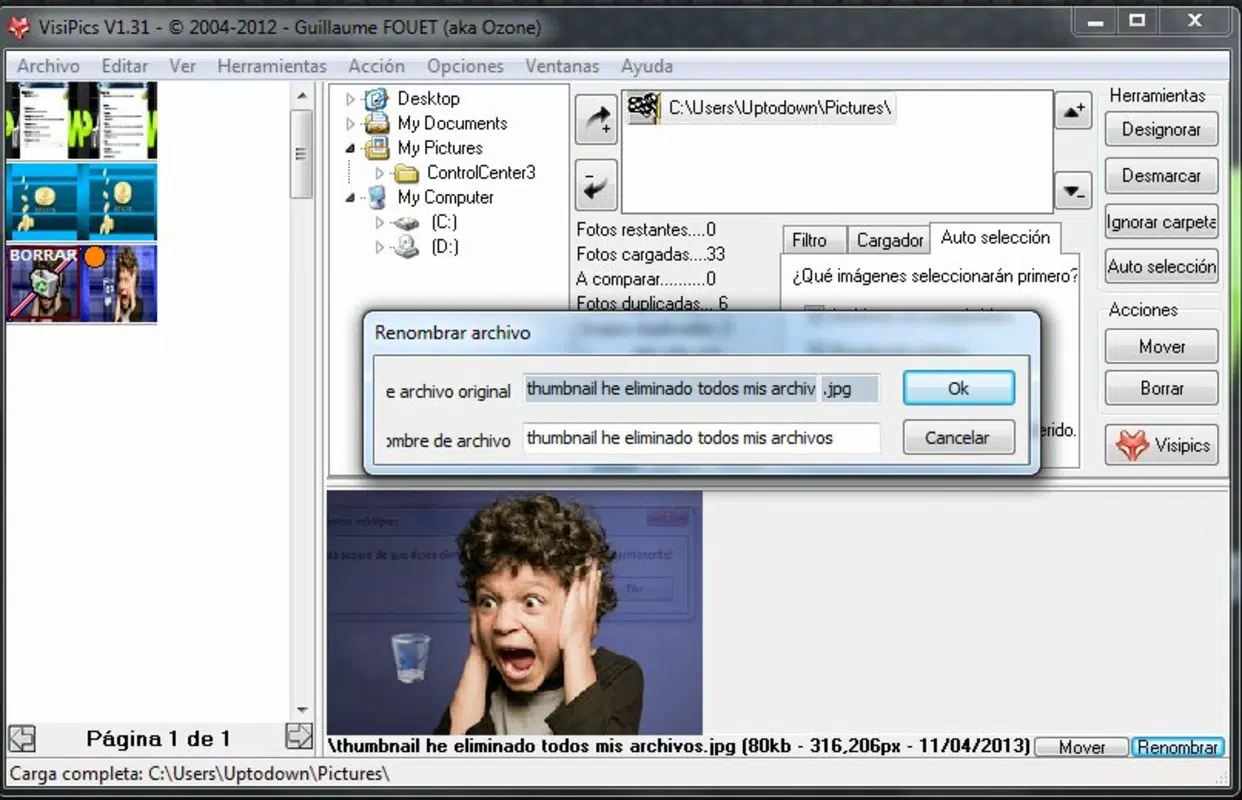
- Informative Sidebar Display: A dedicated sidebar shows key file details such as file name, format, and size for each duplicate pair. This contextual information aids in making informed choices about which files to retain.
For example, a user managing a photo library across three external drives can configure VisiPics to scan only the most recent backup folders, tag duplicates, and immediately remove redundant versions while reviewing the results in real time. This workflow supports a clean, organized digital archive without the need for manual file-by-file comparison.
Interface, UX & Performance
VisiPics features a clean, minimalist interface designed for straightforward navigation. The layout centers around a main window displaying image thumbnails, with a sidebar offering detailed file metadata. The visual style is functional rather than decorative, prioritizing clarity and usability over aesthetic flair. Navigation is intuitive, with clearly labeled controls for initiating scans, selecting folders, and managing results.
Although the developer did not list formal performance metrics, the application’s lightweight file size of 1.4 MB suggests optimized resource usage. It is expected to run efficiently on a range of Windows systems, including older or low-spec hardware. The app maintains responsiveness during scanning, allowing users to interact with the interface while the process runs in the background.
Stability appears to be a strength, given the app’s long-term availability. The real-time deletion feature indicates a robust handling of file operations, reducing the risk of data loss during cleanup. Users can expect consistent behavior across sessions, though the lack of user feedback mechanisms or progress tracking may limit visibility into scan status for some.
Platform Compatibility & Technical Requirements
VisiPics is designed for the Windows operating system. The current version is 1.8.1, and the application file size is 1.4 MB. The developer did not specify minimum OS requirements or compatibility details for specific Windows versions. As such, it is unclear whether the app supports modern Windows 11 systems or older platforms like Windows 7.
Compatibility information was not fully disclosed. Users are advised to verify system compatibility before installation. The app’s small size and standalone nature suggest it may run on a wide range of Windows environments, but official support details are not provided. The absence of cloud integration or mobile availability limits its reach to desktop users only.
Pros and Cons
- Lightweight file size (1.4 MB) ensures minimal system impact
- Advanced duplicate detection with multiple filters improves accuracy
- Real-time deletion allows immediate cleanup during scans
- Automatic tagging simplifies decision-making for duplicate files
- Free to download and use with no licensing restrictions
- No official support for modern Windows versions was listed
- Limited visual feedback during scanning processes
- Desktop-only application with no mobile or cloud integration
- Developer did not provide detailed technical documentation
- Interface lacks modern design elements or customization options
FAQ
Is VisiPics safe to download and use?
Yes, VisiPics is a free tool that has been available since 2013. It does not require installation of third-party software and operates as a standalone executable. However, users should always scan downloaded files with antivirus software before running them.
Can I use VisiPics on Windows 11?
The developer did not specify compatibility with Windows 11. While the app may run on newer systems due to its lightweight nature, official support details were not provided.
Does VisiPics work with external hard drives?
Yes, VisiPics allows users to select specific folders or drives, including external storage devices, for scanning. This makes it suitable for cleaning up photos stored on USB drives or external SSDs.
Is there a mobile version of VisiPics?
Currently, VisiPics is only available for Windows desktop systems. There is no official mobile version for Android or iOS.
How often should I run VisiPics to keep my library clean?
Users can run VisiPics periodically—such as monthly or after major photo transfers—to maintain an organized library. The frequency depends on how frequently new images are added or backed up.
Final Thoughts
VisiPics remains a reliable and efficient tool for anyone dealing with duplicate photos on their Windows system. Its ability to detect both exact and near-duplicates, combined with real-time deletion and automatic tagging, makes it a valuable asset for digital decluttering. While the interface lacks modern polish and the app is limited to desktop use, its core functionality delivers strong value, especially for users seeking a free, no-frills solution.
Those who manage large photo collections—whether for personal, creative, or archival purposes—will benefit most from its focused approach. The app’s lightweight design and zero cost further enhance its appeal. In a world where digital storage is increasingly valuable, tools like VisiPics offer a practical way to reclaim space and improve organization.
Download VisiPics now


